
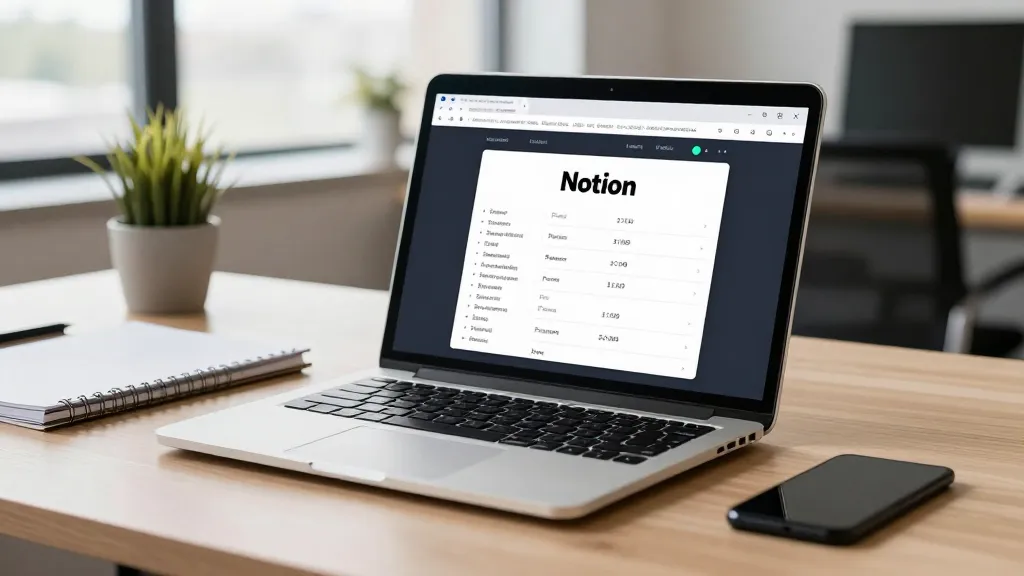
Managing multiple projects can be overwhelming, especially when juggling deadlines, tasks, and team collaboration. If you're a small business owner, digital marketer, freelancer, or content creator, you'll likely find value in how to organize projects with Notion AI. This tool offers a seamless blend of AI-powered automation and intuitive workspace design, helping you streamline workflows without sacrificing clarity or control. Notion AI isn't just another project management tool—it's a dynamic platform that adapts to your unique needs, making it ideal for those looking to simplify complex processes.
The article explores how to leverage Notion AI for efficient project management, starting with the benefits of AI in this space and how it integrates into your daily routine. You'll learn how to set up a centralized workspace, use AI to generate initial content, and organize tasks with powerful databases. From automating reminders to creating project reports with AI summarization, this guide covers practical steps to boost productivity.
Additionally, we’ll share tips for customizing your workspace and fostering team collaboration, ensuring Notion AI becomes an essential part of your workflow. Whether you're managing a single project or multiple clients, the right organization strategy can make all the difference. By the end of this article, you’ll have a clear roadmap for using Notion AI to manage your projects more effectively and with greater ease.
Why Use Notion AI for Project Management
Notion AI is a powerful tool for project management, offering a blend of flexibility, automation, and AI-driven features that help small business owners, digital marketers, freelancers, and content creators streamline their workflows. By integrating tasks, notes, and data into a single workspace, it reduces the need for multiple tools and enhances productivity. The AI-powered capabilities further elevate project management by enabling smarter organization, content generation, and data analysis, making it an essential asset for modern professionals.

The Benefits of AI in Project Management
AI in project management brings significant advantages, such as improved efficiency, better decision-making, and enhanced team collaboration. By automating routine tasks and providing real-time insights, AI tools help professionals focus on strategic aspects of their work. Notion AI builds on these benefits by offering intelligent summarization, task prioritization, and content generation, which reduce manual effort and streamline workflows. These capabilities make it easier to manage complex projects and adapt to changing priorities.
How Notion AI Fits Into Your Workflow
Notion AI seamlessly integrates into your workflow by combining intuitive design with AI-driven automation. Whether you're managing a small business project, a digital marketing campaign, or a content creation initiative, Notion AI allows you to structure your tasks, notes, and data in a single, centralized workspace. This integration ensures that all project elements are easily accessible, reducing the risk of information silos and improving overall organization. With AI-powered tools like content generation and task reminders, Notion AI adapts to your workflow, making project management more intuitive and efficient.
Setting Up Your Notion AI Workspace
Setting up your Notion AI workspace is the foundation of an organized and efficient project management system. Begin by defining a central hub where all project-related information will be stored and managed, ensuring that your workflow remains structured and accessible.
- Create a central workspace that consolidates all project-related tasks, documents, and data into one location.
- Leverage Notion AI's capabilities to automatically generate notes, summaries, or task lists based on your input.
- Use databases to categorize and track tasks, deadlines, and project milestones for clarity.
- Implement templates for recurring tasks to save time and maintain consistency across projects.
Creating a Central Workspace
Creating a central workspace involves setting up a dedicated Notion page that serves as the main hub for your projects. This page should include sections for project details, team members, timelines, and any relevant files. By consolidating all project-related information in one place, you reduce the risk of miscommunication and make it easier to track progress.
Using AI to Generate Initial Content
Using AI to generate initial content streamlines the setup process by automatically creating notes, summaries, or task lists based on your input. For example, you can describe a project's objectives, and Notion AI can generate a summary or outline of key tasks. This not only saves time but also ensures that your workspace starts with a clear and structured foundation, making it easier to build upon as the project evolves.
Organizing Projects with Notion AI Features
Organizing projects with Notion AI involves leveraging its powerful tools to streamline task management, data analysis, and content creation. By using databases, AI summarization, and integrated content generation, you can maintain clarity and efficiency across your projects, ensuring that every team member stays aligned and informed.
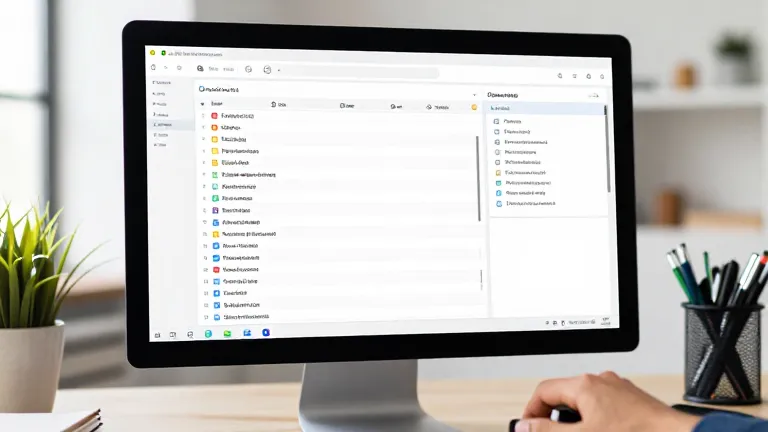
Using Databases for Task Tracking
Databases in Notion AI allow you to create structured, visual representations of your projects, making it easy to track tasks, deadlines, and progress. You can set up custom databases for individual projects or across teams, assigning due dates, priorities, and status updates. This structured approach not only helps in identifying bottlenecks but also ensures that everyone has access to real-time information, improving transparency and accountability.
AI Summarization for Project Reports
AI summarization in Notion AI is a game-changer for condensing large volumes of data, such as meeting notes or project updates, into concise, digestible summaries. This feature automatically identifies key points and trends, allowing you to quickly grasp the essentials without sifting through lengthy text. Whether you're preparing a report or updating stakeholders, the AI-generated summaries save time and ensure that your communication remains clear and focused.
Automating Repetitive Tasks with Notion AI
Automating repetitive tasks with Notion AI can significantly reduce time spent on manual processes, allowing you to focus on higher-value work. By leveraging AI-powered tools, you can streamline task reminders and generate content for emails, meeting notes, or status updates, improving efficiency across your workflow.
- Set up recurring tasks and reminders using AI to reduce manual input.
- Automate content generation for emails, meeting notes, or status updates.
- Use Notion AI to sync with other tools like Slack or Google Workspace for seamless workflow.
Automating Task Reminders
Notion AI allows you to set up recurring tasks with ease, using AI to generate reminders based on your schedule. By defining a task and its frequency, Notion AI can automatically create reminders in your calendar or notification system, ensuring nothing is overlooked. This automation minimizes the need for manual tracking and helps maintain consistent progress.
AI-Powered Content Generation
AI-powered content generation in Notion can save time by automatically drafting emails, meeting notes, or status updates. Simply input the key details, and Notion AI can generate a draft that you can edit or send directly. This feature is particularly useful for routine communication, reducing the time spent on repetitive writing tasks.
Integrating Notion AI with tools like Slack or Google Workspace enhances workflow efficiency. For instance, Notion can automatically sync updates from Slack conversations into your project database or send meeting notes directly to Google Workspace. These integrations ensure that all team members stay aligned without manual data entry.
Tips for Optimizing Notion AI for Workspace Organization
Optimizing your Notion AI workspace involves thoughtful customization and fostering collaboration. By tailoring your environment to your specific needs and encouraging team input, you can create a more efficient and dynamic project management system.

Customizing Your Workspace
Customizing your workspace with templates and AI-generated suggestions can significantly boost efficiency. Start by selecting pre-built templates that align with your project type, such as marketing campaigns or content creation pipelines. Notion AI can also offer tailored suggestions based on your past projects, helping you set up a structure that suits your workflow. Regularly refine these templates by adding custom fields or adjusting layouts to match evolving requirements.
Encouraging Team Collaboration
Encouraging team collaboration is essential for maintaining a cohesive workspace. Use shared databases to allow team members to contribute updates, track progress, and access real-time information. Notion AI supports collaborative editing, enabling multiple users to work on the same project simultaneously without version control issues. Establish clear guidelines for data entry and updates to ensure consistency. Regular check-ins and feedback loops can also help refine the workspace, ensuring it remains a valuable tool for everyone involved.
Frequently Asked Questions
Can Notion AI help me automate task assignments in a team project?
Notion AI can help automate task assignments by suggesting appropriate team members based on skills and availability. You can set rules for task distribution, and AI can assist in assigning tasks efficiently across your team.
How do I set up recurring tasks with Notion AI?
To set up recurring tasks, create a task and use the 'Repeat' feature in Notion AI to define the frequency. You can also use AI to generate recurring task templates for consistency across your workflow.
Can Notion AI generate meeting notes automatically?
Yes, Notion AI can generate meeting notes automatically by analyzing meeting transcripts or summaries. You can also use AI to convert voice recordings into notes or summarize key discussion points.
What are the best practices for organizing a Notion AI workspace?
Best practices include using databases for task tracking, customizing templates for your workflow, encouraging team collaboration, and regularly reviewing and updating your workspace to maintain efficiency.
Final Thoughts
Organizing projects with Notion AI can significantly improve your workflow by offering advanced automation and customization. From task tracking to team collaboration, Notion AI provides the tools to streamline your project management process.
Start by setting up a centralized workspace and leveraging AI features like summarization and automation. As you get comfortable, refine your workspace to suit your team's needs and optimize efficiency.