
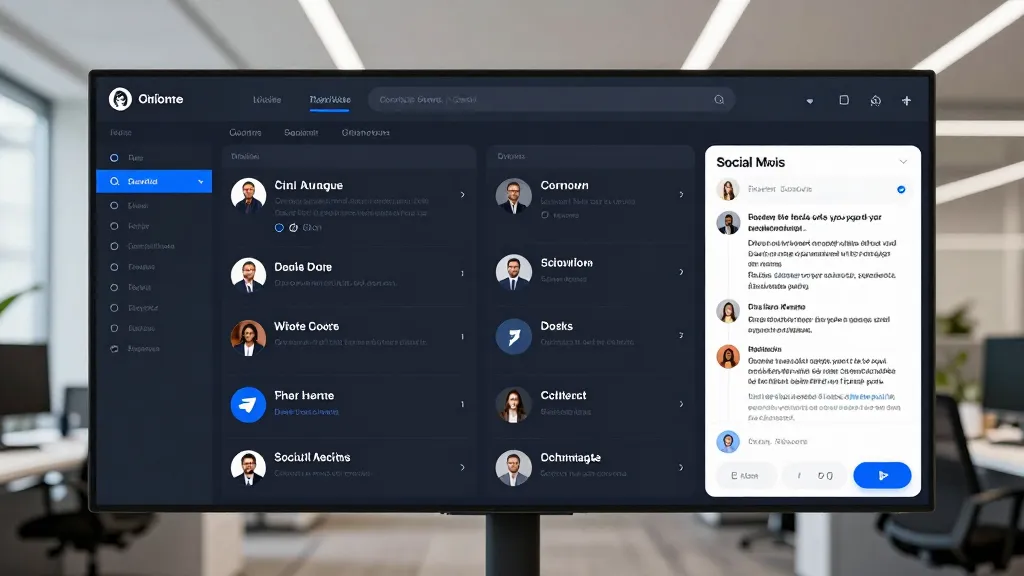
Managing social media schedules manually can be time-consuming and inefficient, especially for small business owners and marketers. Automating social media scheduling with AI tools can help streamline the process, freeing up time for more strategic tasks. This article explores how to automate social media scheduling with AI tools, offering practical guidance on selecting the right software, setting up your workflow, and optimising content for maximum engagement. Whether you're a content creator or a digital marketer, understanding how to leverage AI for automation can significantly enhance your social media strategy. We'll cover the benefits of AI-driven scheduling, how to choose the best tools, and how to refine your approach for better results. By the end, you'll have a clear roadmap to implement AI automation in your social media routine.
Why Automate Social Media Scheduling with AI Tools
Manual social media scheduling is a tedious and inefficient process that consumes significant time and effort, often leading to inconsistent posting and missed opportunities. Small business owners and content creators frequently struggle to maintain a regular online presence due to the demands of other tasks, making automation a compelling solution.

The Time and Resource Drain of Manual Scheduling
Managing social media manually requires constant attention to content creation, timing, and platform-specific formatting, which can quickly become overwhelming. Without a structured approach, businesses risk posting inconsistently, missing peak engagement hours, and failing to maintain a cohesive brand voice. This not only strains productivity but also limits the effectiveness of their social media strategy.
How AI Tools Enhance Engagement and Visibility
AI tools for social media scheduling offer advanced capabilities that optimise post timing, content creation, and engagement analytics. These tools use data-driven insights to determine the best times to post for each audience, ensuring maximum visibility and interaction. Additionally, they can generate tailored content for different platforms, saving time while improving the quality and relevance of posts. By integrating AI into the scheduling process, businesses can maintain a consistent online presence without the need for constant oversight, allowing them to focus on growth and strategy.
Choosing the Right AI Tools for Social Media Scheduling
Selecting the appropriate AI tool for social media scheduling requires careful evaluation of platform support, automation features, and AI capabilities. A tool that aligns with your specific needs can significantly enhance your workflow and engagement outcomes.
- Evaluate tools based on platform support, automation features, and AI capabilities.
- Consider whether the tool offers content creation or analytics features.
- Prioritise user-friendly interfaces and integration with existing workflows.
Top AI Tools for Social Media Automation
Several AI tools stand out for their ability to automate social media scheduling effectively. Platforms like Hootsuite, Buffer, and Later offer robust scheduling features, while AI-specific tools such as Contently and WordLift provide content creation and optimisation. The best choice depends on your business size, content type, and desired level of automation.
Key Features to Look for in AI Scheduling Tools
When selecting an AI scheduling tool, focus on features that align with your goals. Look for tools that support multiple platforms, offer analytics for performance tracking, and include AI-driven content creation or curation. Integration with other marketing tools, such as CRM systems or email platforms, can also streamline your workflow and improve efficiency.
Setting Up Your AI-Driven Social Media Schedule
Setting up your AI-driven social media schedule is the foundation of an efficient workflow. Whether you're importing existing content or letting the AI generate new posts, the goal is to create a structured and consistent publishing plan that aligns with your audience's habits and preferences.
Importing and Organising Your Content
Importing existing content is a straightforward way to kickstart your AI-driven schedule. Most platforms allow you to upload posts from various sources, such as Google Drive, Dropbox, or your content management system. Once imported, you can categorise posts by topic, platform, or campaign to ensure consistency and avoid duplication. If you're starting fresh, AI tools can generate new content based on your brand voice, keywords, and audience interests, saving you time while maintaining quality.
Customising Scheduling Preferences
Customising scheduling preferences ensures your content reaches the right audience at the optimal time. AI tools often allow you to set specific times based on audience activity patterns, such as peak engagement hours or days. You can also customise preferences for different platforms, as user behaviour varies across Instagram, Twitter, LinkedIn, and Facebook. Additionally, setting up alerts for content performance and engagement metrics helps you stay informed about what's working and what needs adjustment, enabling real-time improvements to your strategy.
Optimising AI-Generated Content for Social Media
Optimising AI-generated content is essential to ensure it resonates with your audience and aligns with your brand identity. While AI tools can draft captions, hashtags, and visuals, they must be tailored to each platform's unique audience and content style. By refining these outputs, you can maximise engagement and maintain a consistent brand voice across social media.
AI Content Creation for Different Platforms
AI tools can generate content tailored for each platform, such as Instagram's visual-centric format or Twitter's concise text style. When using these tools, ensure they understand your brand voice, target audience, and content goals. For example, LinkedIn may require more professional language, while TikTok may benefit from a more casual and energetic tone. Customising AI-generated content to fit each platform increases its relevance and effectiveness.
How to Refine AI Output for Better Engagement
To refine AI output, regularly review and adjust the generated content based on performance data. Metrics such as engagement rates, click-through rates, and follower growth can highlight what works and what doesn't. Use this feedback to fine-tune the AI's settings, training data, or content templates. Additionally, manually editing AI-generated content can help align it more closely with your brand's messaging and tone, ensuring consistency across all platforms.
Maintaining and Improving Your AI Social Media Workflow
Maintaining and improving your AI social media workflow requires ongoing attention to performance metrics, user feedback, and system integration. Regularly refining your approach ensures that your automated content remains effective, relevant, and aligned with your audience’s needs.

How to Analyse AI Performance Data
To analyse AI performance data, start by reviewing engagement metrics such as likes, shares, comments, and click-through rates. These insights reveal which types of content resonate most with your audience, allowing you to adjust your strategy accordingly. Tools often provide detailed reports that highlight peak engagement times, content formats, and audience demographics. Use this data to refine your scheduling preferences and AI-generated content to maximise impact.
Integrating AI Tools with Other Automation Systems
Integrating AI tools with other automation systems enhances efficiency by streamlining workflows. Connect your scheduling platform with content creation tools, email marketing services, and customer relationship management (CRM) systems to create a cohesive automation ecosystem. This integration ensures that your content is consistently aligned across channels and reduces manual input. Regularly evaluate how well these systems work together to identify opportunities for further automation and process optimisation.
Frequently Asked Questions
What are the best AI tools for scheduling social media posts?
The best AI tools for scheduling social media posts include Hootsuite, Buffer, and Later. These tools offer features like content creation, scheduling, and analytics to help manage social media efficiently.
Can AI tools create and schedule content for all social media platforms?
AI tools can create and schedule content for most social media platforms, but compatibility may vary. It’s important to check which platforms a tool supports before making a selection.
How do I ensure my AI-generated posts match my brand voice?
To ensure AI-generated posts match your brand voice, customise the AI settings with brand guidelines, and review the output before publishing. Regular feedback can also help refine the AI’s performance.
What should I do if my AI scheduling tool isn’t working as expected?
If your AI scheduling tool isn’t working as expected, check for updates, review the tool’s settings, and contact customer support. You may also want to try a different tool if the issue persists.
Final Thoughts
Automating social media scheduling with AI tools can save time and improve engagement. By selecting the right tools and refining your workflow, you can streamline your social media strategy.
Start by choosing a reliable AI tool that fits your needs, then customise your schedule and content. Regularly review performance data to ensure your strategy is effective.