

For small business owners, digital marketers, and content creators, repetitive tasks can eat into valuable time and reduce productivity. By learning how to create automated workflows with Make, you can streamline operations and focus on what truly matters—growing your business. Make is a powerful automation tool that allows users to connect apps and services, enabling seamless data flow and task execution without coding. This article will guide you through the essentials of using Make to build efficient workflows, from setting up your first automation to exploring common use cases and best practices for long-term success.
Understanding Make and Its Role in Workflow Automation
Make is a powerful no-code automation platform that empowers users to connect apps and automate workflows without writing a single line of code. Designed for small business owners, digital marketers, and content creators, Make simplifies the process of streamlining repetitive tasks, saving time and reducing manual effort. By enabling seamless integration between various digital tools, Make helps users focus on strategic activities rather than routine operations.
What Is Make?
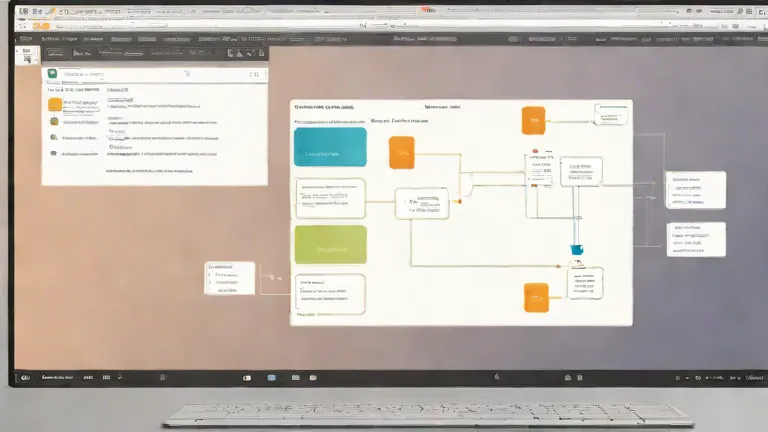
Make is a versatile automation tool that allows users to create workflows by connecting different apps and services. With a user-friendly interface, it eliminates the need for coding, making automation accessible to individuals with little to no technical background. Users can drag and drop actions, set triggers, and define rules to automate tasks such as data entry, email campaigns, and file management. This intuitive approach ensures that even beginners can quickly build and manage complex workflows.
Why Use Make for Automation?
Make is particularly useful for small businesses and digital marketers seeking to optimize their operations. It helps automate time-consuming tasks such as social media posting, customer data tracking, and lead generation, allowing teams to focus on growth and engagement. By integrating with popular platforms like Google Workspace, HubSpot, and Shopify, Make provides a centralized hub for managing workflows across multiple services. This integration capability ensures that businesses can maintain consistency and efficiency without the need for manual intervention.
Setting Up Your First Workflow in Make
Setting up your first workflow in Make is a straightforward process that allows you to automate repetitive tasks across different apps. By connecting your preferred tools and defining the logic of your workflow, you can save time and increase efficiency without needing coding skills.
- Sign up for a Make account and explore the dashboard.
- Select the apps you want to connect, like Google Sheets or Slack.
- Use drag-and-drop tools to build the workflow logic.
- Test the workflow to ensure it functions correctly.
Getting Started with Make
To begin, visit the Make website and create an account. Once logged in, you'll be directed to the dashboard, where you can view all your workflows and manage your connected apps. Take some time to familiarize yourself with the interface, including the app catalog and the workflow builder. This will help you navigate the platform more efficiently as you set up your first automation.
Creating Your First Automation
Next, choose the apps you want to integrate. Make offers a wide range of integrations, such as Google Sheets, Slack, Mailchimp, and more. Select the apps that are relevant to your workflow, and click 'Connect' to authorize Make to access them. Once connected, you can start building your automation by selecting a trigger and an action. Drag and drop these elements into the workflow builder to define how data should flow between apps.
After setting up your workflow, it's important to test it to ensure everything works as expected. Click the 'Test' button in the workflow builder to simulate the process. If any issues arise, review the steps and make adjustments as needed. This testing phase helps prevent errors and ensures your automation runs smoothly once it's live.
Common Use Cases for Make Workflows
Make workflows can streamline repetitive tasks across various business functions, enabling users to focus on higher-value activities. By automating data handling, communication, and cross-platform synchronization, Make helps small businesses and content creators save time and reduce errors. Below are two key use cases that demonstrate how Make can be applied in real-world scenarios.
Data Management Automation
Automate data entry from spreadsheets to CRM systems by setting up triggers that move information between platforms. For example, when a new lead is added to a spreadsheet, Make can automatically create a contact in a CRM like HubSpot or Salesforce. This eliminates manual data entry and ensures consistency across systems, reducing the risk of errors and saving hours of work each week.
Marketing and Communication Workflows
Trigger email campaigns based on user behavior or form submissions by linking Make to email marketing tools like Mailchimp or ConvertKit. When a user fills out a form on a website, Make can automatically add them to a mailing list or send a welcome email. This ensures timely engagement and helps maintain consistent communication with audiences without requiring constant manual oversight.
Best Practices for Building Effective Workflows
Building effective workflows in Make requires careful planning and ongoing management to ensure they remain efficient and adaptable. By following best practices, you can streamline your automation processes, reduce errors, and make it easier for others to understand and maintain your workflows.
- Start simple and scale gradually to avoid overwhelming the system.
- Use clear naming conventions for triggers and actions for better organization.
- Monitor workflow performance regularly to identify and fix issues.
- Document your workflows so others can understand and maintain them.
Organizing Your Workflows
Organizing your workflows is essential for maintaining clarity and efficiency. Begin by grouping related tasks into logical categories, such as marketing, data management, or customer service. Assign descriptive names to each workflow and use consistent naming conventions for triggers and actions. This helps you and your team quickly locate and modify workflows as needed, especially when managing multiple automation processes.
Maintaining and Improving Automation
Maintaining and improving automation is an ongoing process that ensures your workflows remain effective over time. Regularly review workflow performance to identify bottlenecks or errors, and update triggers and actions as your business needs evolve. Incorporate feedback from users and test changes in a controlled environment before deploying them. By continuously refining your automation, you can enhance productivity and minimize the risk of disruptions.
Tips for Maximizing Productivity with Make
Maximizing productivity with Make involves leveraging additional tools and staying updated with new features. By expanding your automation capabilities and keeping up with advancements, you can streamline operations and adapt to evolving needs more effectively.

Enhancing Automation with Additional Tools
Integrating Make with tools like Zapier or Integromat can significantly extend your automation capabilities. These platforms allow you to connect a wide range of services and applications, enabling more complex workflows that span multiple systems. For example, you can automate data synchronization between email marketing platforms and customer relationship management (CRM) tools, reducing manual input and increasing efficiency.
Using templates is another way to save time and minimize errors. Make offers pre-built templates for common tasks, which you can customize to fit your specific needs. This approach ensures consistency across workflows and reduces the risk of configuration mistakes, making it easier to scale and manage your automation processes.
Staying Updated with Make Features
Staying updated with Make features is crucial for maintaining and improving your automation strategy. Regularly checking the Make blog and release notes helps you discover new tools, integrations, and enhancements that can optimize your workflows. For instance, new features may introduce advanced logic or improved data handling, which can simplify complex tasks and boost performance.
Adopting a proactive approach to learning and adapting ensures that your automation remains efficient and relevant. By familiarizing yourself with updates and best practices, you can continuously refine your workflows and take full advantage of Make's evolving capabilities, ultimately enhancing your productivity and operational effectiveness.
Frequently Asked Questions
Can I automate email campaigns using Make?
Yes, Make allows you to automate email campaigns by integrating with email platforms. You can set up triggers based on user actions, such as sign-ups or purchases, and automate follow-up emails.
What are some common mistakes when using Make for automation?
Common mistakes include not testing workflows thoroughly, using incorrect trigger conditions, and not organizing workflows properly. These can lead to errors or inefficient automation.
How do I troubleshoot if my workflow isn't working?
To troubleshoot, check the logs for error messages, verify the connections between apps, and test the workflow with sample data. Make also offers a help center and support for further assistance.
Are there any limitations to using Make for automation?
Make has limitations, such as the number of workflows and connections allowed, and it may not support all third-party apps. For complex automation needs, a custom solution might be necessary.
Next Steps for Automation
Make offers a powerful no-code platform for automating repetitive tasks. By understanding its features and best practices, you can streamline your workflows effectively.
To get started, explore Make's workflow builder and experiment with automation examples. As you grow, consider integrating additional tools to enhance your productivity.