

Manual invoice processing can be time-consuming, error-prone, and a drain on your team’s productivity. For small business owners, accountants, and office professionals, the goal is clear: reduce manual work and improve accuracy without sacrificing efficiency. That’s where AI tools come in. This guide explains how to automate invoice processing with AI tools to streamline your financial workflows. By leveraging artificial intelligence, you can transform tedious tasks into automated, reliable processes that save time and cut costs.
AI invoice processing tools use machine learning and natural language processing to extract data from invoices, categorize payments, and even flag discrepancies. These technologies significantly reduce the need for manual data entry and minimize human errors. Whether you're dealing with paper invoices or digital formats, AI can adapt and process them with high precision.
In this article, we’ll walk you through the key steps to adopt AI in your invoice processing. From selecting the right tools to setting up workflows and monitoring performance, you’ll gain practical insights to make the transition smooth and effective. By the end, you’ll have a clear roadmap to automate your invoice processing and focus on more strategic financial tasks.
Understanding the Benefits of AI in Invoice Processing
Invoice processing is a repetitive and time-consuming task that can consume significant resources in small businesses and accounting teams. Automating this process with AI tools offers a practical solution to enhance productivity and reduce manual effort, allowing professionals to focus on more strategic tasks.

Why Automate Invoice Processing?
Manual invoice processing often involves tasks like data entry, categorization, and reconciliation, which can be error-prone and labor-intensive. Automating this process with AI tools streamlines these steps, drastically reducing the time and effort required. By leveraging machine learning and natural language processing, AI systems can quickly extract and organize invoice data, making the entire process faster and more efficient. This automation not only saves time but also allows teams to reallocate resources to higher-value activities such as financial analysis and client engagement.
How AI Improves Accuracy and Efficiency
AI significantly enhances the accuracy of invoice processing by minimizing human errors that often occur during manual data entry. These errors can lead to discrepancies, delayed payments, and financial losses. AI-driven tools use advanced algorithms to recognize patterns and validate data, ensuring that invoice details such as amounts, dates, and vendor information are correctly captured. This level of precision not only improves data integrity but also supports better financial reporting and compliance. Additionally, AI tools can integrate seamlessly with existing accounting systems, facilitating a smooth data flow and reducing the need for manual data transfers between platforms.
Selecting the Right AI Invoice Processing Tool
Selecting the right AI invoice processing tool is crucial for streamlining financial workflows and ensuring long-term efficiency. With so many options available, it's important to evaluate features, ease of use, and scalability to find a solution that fits your business needs.
- OCR and data extraction capabilities
- Integration with existing systems
- Ease of use and user interface
- Scalability for business growth
- Pricing models and cost predictability
- Customer support and training resources
Key Features to Look for in AI Invoice Tools
When evaluating AI invoice processing tools, focus on features like OCR (Optical Character Recognition) and data extraction. These technologies are essential for accurately converting scanned invoices into structured data. Look for tools that support multiple file formats and can extract key details like vendor names, dates, and amounts with high precision.
How to Choose the Best AI Invoice Processing Software
Choosing the best AI invoice processing software requires a balance between functionality and usability. Prioritize tools with intuitive interfaces and minimal setup time, as these reduce the learning curve for your team. Additionally, consider how well the software integrates with your existing accounting or ERP systems to ensure seamless data flow and avoid manual entry errors.
Setting Up Your AI Invoice Processing Workflow
Setting up your AI invoice processing workflow involves configuring the tool to handle incoming invoices and establishing data extraction rules that align with your accounting systems. This foundational step ensures that the AI can accurately interpret and route invoice data to the right departments or software.

Configuring AI Invoice Processing Tools
To configure your AI invoice processing tool, start by defining how invoices will be received—whether through email, cloud storage, or direct file uploads. Next, set up data extraction rules that specify which fields to capture, such as vendor name, invoice number, and total amount. These rules should be tailored to match the structure of your accounting software, ensuring seamless integration and minimal manual intervention.
Testing and Refining Your Workflow
Once the tool is configured, testing is essential to verify accuracy and reliability. Use a sample set of invoices to simulate the processing workflow and check if the AI correctly extracts and maps data to your accounting system. If discrepancies arise, refine the extraction rules or adjust the AI's training data to improve recognition. Regular testing and refinement ensure that your workflow remains efficient and error-free as your business evolves.
Automating Invoice Processing with AI Tools
Automating invoice processing with AI tools streamlines data entry, reduces manual effort, and ensures timely handling of financial transactions. By leveraging AI for data extraction and workflow automation, businesses can significantly improve operational efficiency and reduce the risk of errors.
- Use AI to extract data from invoices and send it to accounting software.
- Set up alerts and notifications for pending or flagged invoices.
- Review and approve invoices through automated workflows.
How AI Automates Invoice Data Extraction
AI invoice processing tools use optical character recognition (OCR) and machine learning to identify and extract key data points such as vendor names, invoice numbers, dates, and amounts from scanned or digital invoices. Once extracted, this data is automatically formatted and sent to your accounting software, eliminating the need for manual data entry. This not only saves time but also minimizes the risk of human error, ensuring that financial records remain accurate and up-to-date.
Setting Up Approval Workflows with AI
AI-powered approval workflows allow businesses to automate the review and approval process for invoices. When an invoice is received, the system can automatically route it to the appropriate manager or department for verification. Users can set up rules to flag invoices that require additional checks, such as those exceeding a certain amount or from unfamiliar vendors. These alerts ensure that critical invoices are reviewed promptly, while routine ones are processed automatically, improving both speed and compliance.
Monitoring and Optimizing AI Invoice Processing
Once your AI invoice processing system is up and running, ongoing monitoring and optimization are essential to ensure it continues to deliver value. By tracking key performance indicators and adapting to changes in your business or the tools you use, you can maintain efficiency and accuracy over time.
How to Monitor AI Invoice Processing Performance
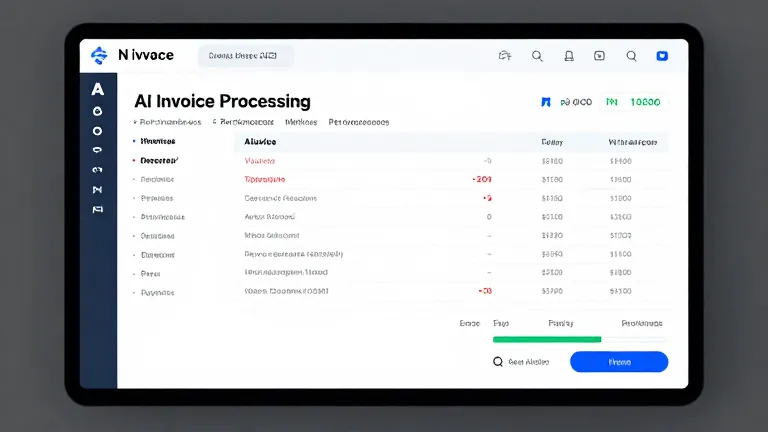
To monitor AI invoice processing performance, focus on metrics such as accuracy rates, processing speed, and error frequency. Most AI tools provide dashboards that display these metrics, allowing you to identify trends or anomalies. Regularly reviewing these reports helps you spot issues early, such as a drop in accuracy that may signal the need for model retraining. Integrating alerts for critical performance thresholds can also ensure timely interventions without manual oversight.
Continuous Improvement and Tool Updates
Continuous improvement involves using feedback loops to refine AI models and keep them aligned with your business needs. As your organization evolves, so do your invoice formats, payment terms, and workflows. By incorporating feedback from users and updating training data, you can enhance the AI’s ability to adapt to new scenarios. Additionally, staying informed about updates from your AI tool provider ensures you can leverage new features or enhancements that improve efficiency and accuracy. Regularly reviewing and adjusting your workflow based on these updates helps maintain an optimized invoice processing system.
Frequently Asked Questions
What are the best AI tools for invoice processing?
The best AI tools for invoice processing are those that offer high accuracy, ease of integration, and scalability. Popular options include tools like Kira, Yooz, and InvoiceRobot, which use advanced OCR and machine learning to extract and process invoice data efficiently.
How can AI tools reduce errors in invoice processing?
AI tools reduce errors by automating data extraction and validation through machine learning, which learns from historical data to improve accuracy. They also flag discrepancies, helping to catch and correct errors early in the processing cycle.
Can AI invoice tools integrate with existing accounting software?
Yes, most AI invoice tools can integrate with existing accounting software such as QuickBooks, Xero, and SAP. These integrations allow for seamless data transfer and synchronization, ensuring that invoice data is automatically updated in your accounting systems.
How do I train an AI model to process invoices accurately?
To train an AI model for invoice processing, you need to provide it with a dataset of labeled invoices. The model learns to recognize patterns and extract relevant information. Continuous feedback and updates help refine its accuracy over time.
Next Steps for AI Invoice Processing
Automating invoice processing with AI tools can significantly improve efficiency and reduce errors. By leveraging AI, businesses can streamline workflows, save time, and ensure accurate data handling. With the right tools and setup, the transition to AI-driven invoice processing is both practical and beneficial.
To get started, evaluate your business needs and select an AI invoice processing tool that aligns with your requirements. Begin by configuring the tool, testing its performance, and refining your workflow. Regular monitoring and updates will ensure your AI system remains effective and efficient.