
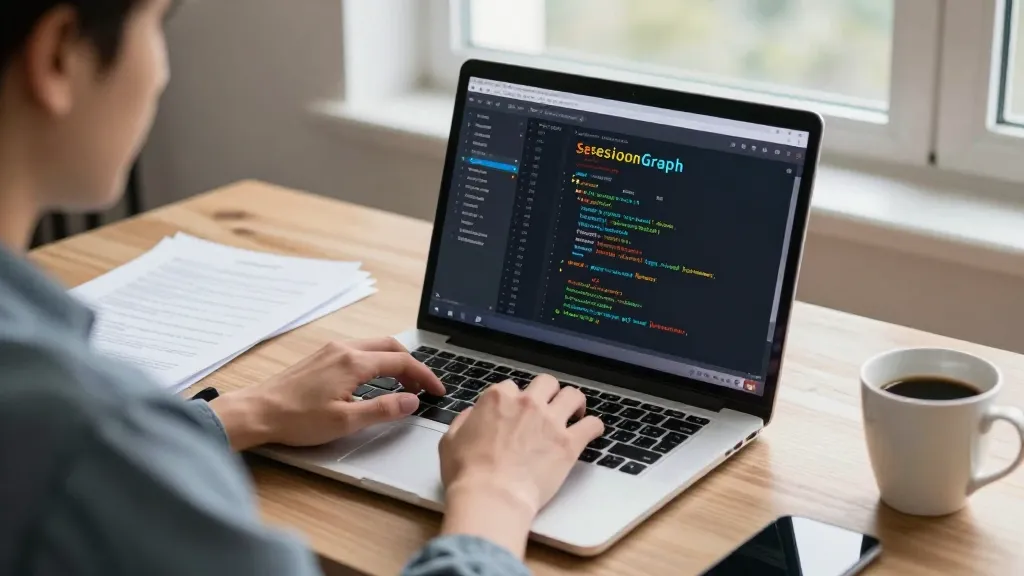
For small business owners, digital marketers, and developers, optimizing AI workflows is key to staying competitive. One powerful tool in this effort is Visualize coding agent sessions, which offers deep insights into how AI agents operate. By visualizing session data, you can uncover hidden patterns, track progress, and refine your strategies. This article explores how SessionGraph, a cutting-edge tool, helps you analyze coding agent sessions with ease. We’ll guide you through installation, integration, and practical use cases to enhance your workflow. Whether you're debugging code or identifying recurring issues, SessionGraph provides a clear, local solution for better insights. Discover how to leverage session data for smarter decisions and improved efficiency. By the end, you’ll have a solid understanding of how to use SessionGraph to unlock the full potential of your AI workflows.
Why Visualize Coding Agent Sessions?
Visualizing coding agent sessions offers significant benefits for optimizing AI workflows, especially for small business owners, digital marketers, and developers who rely on these tools to automate tasks and improve productivity. As coding agents generate vast amounts of session data, the challenge lies in making sense of it without the aid of advanced tools.
Understanding the Value of Session Data
Coding agents generate a large volume of session data that is hard to track manually. Each session contains valuable information about the agent's interactions, including code outputs, errors, and user inputs. Without a structured way to analyze this data, identifying patterns, bugs, or inefficiencies becomes a time-consuming and error-prone process. This is where visualization tools like SessionGraph come into play, offering a clear and intuitive way to explore session data and uncover insights that would otherwise go unnoticed.
How Visualization Improves Workflow Analysis
Visualizing sessions helps identify patterns, bugs, and inefficiencies in AI workflows. By converting raw session data into an interactive graph, tools like SessionGraph allow users to trace the flow of interactions, spot anomalies, and understand how different parts of the workflow connect. This visual representation makes it easier to pinpoint areas that require improvement, such as recurring errors or inefficient code execution. It also enables users to revisit past sessions, making it simpler to debug and refine their AI workflows over time.
Getting Started with SessionGraph
Getting started with SessionGraph is straightforward, thanks to its local-first design and broad support for popular coding agent harnesses. By indexing your session data, it offers a powerful way to explore and analyze your AI-assisted coding workflows without relying on external services.
- Run SessionGraph directly from your terminal using the command npx sessiongraph.
- SessionGraph indexes your session store, making it easy to search and navigate through your coding agent interactions.
- It supports a wide range of harnesses, including Codex, Claude Code, GitHub Copilot CLI, and many others.
- Once installed, you can launch the desktop app to interact with your indexed session data.
Installation and Setup
To begin using SessionGraph, simply open your terminal and execute the command npx sessiongraph. This will download and run the tool locally, ensuring your session data remains private and secure. The process is quick and requires no additional configuration, making it accessible for developers of all experience levels.
Supported Harnesses and Integration
SessionGraph is designed to work with multiple coding agent harnesses, including Codex, Claude Code, GitHub Copilot CLI, and many others. This compatibility means you can consolidate session data from various tools into a single, searchable index. Integration is seamless, as the tool reads your harness' session store and indexes it for easy access.
Using SessionGraph to Analyze Sessions
SessionGraph empowers users to efficiently analyze coding agent sessions by enabling targeted searches and refined browsing through its intuitive interface. Whether you're looking for specific topics like 'invoice retries' or 'code review', the tool provides the flexibility to uncover relevant session data quickly and effectively.
Searching for Specific Session Topics
One of the key features of SessionGraph is its ability to search for specific session topics, allowing users to pinpoint conversations or tasks related to particular subjects. For instance, you can search for sessions about 'invoice retries' or 'code review' to retrieve all associated interactions. This functionality is especially useful for developers and digital marketers who need to track how specific tasks are handled across different harnesses. The search functionality not only helps in locating past sessions but also aids in understanding patterns or recurring issues in workflow execution.
Filtering and Browsing Sessions
In addition to searching, SessionGraph allows users to filter sessions by harness, time, or session type, making it easier to navigate through large datasets. This filtering capability ensures that you can focus on the most relevant sessions for your analysis. Whether you're looking for sessions related to a specific harness like Codex or Gemini CLI, or you need to review sessions from a particular time period, the tool provides the necessary tools to refine your search. This makes it simple to locate and analyze data that aligns with your current goals, improving the overall efficiency of your workflow analysis.
Practical Applications of SessionGraph
SessionGraph offers real-world benefits for developers and teams looking to optimize their AI workflows. By providing a visual representation of coding agent sessions, it enables deeper insights into how code is generated, where issues arise, and how workflows can be refined over time.
Debugging with Session Data
Debugging with Session Data allows developers to trace the exact steps taken by a coding agent during a session. By visualizing the sequence of actions, including code generation, edits, and interactions, developers can pinpoint where errors occurred and how the agent's output evolved. This level of detail is crucial for identifying whether a problem stems from the agent’s logic, the input provided, or the environment in which the code was executed. SessionGraph also enables comparisons between different sessions, helping to isolate patterns that may have led to a specific bug or inefficiency.
Finding Recurring Issues in Workflows
Finding Recurring Issues in Workflows is another key benefit of SessionGraph. By aggregating and indexing session data, the tool allows users to search for common themes or patterns across multiple sessions. For example, if a particular error or inefficiency consistently appears in sessions related to invoice processing or API integrations, SessionGraph can highlight these trends, making it easier to address root causes. This capability is especially valuable for teams looking to refine their AI workflows and improve the reliability of automated coding tasks over time.
Best Practices for Using SessionGraph
To get the most out of SessionGraph, it's essential to adopt best practices that ensure data integrity, efficient search, and seamless integration with other tools. These strategies will help you maintain a reliable workflow and make the most of your session data.
- Regularly back up your session data to avoid loss.
- Use specific search terms to find relevant sessions quickly.
- Combine session data with other tools for a more complete workflow analysis.
Maintaining Session Data Backups
Maintaining regular backups of your session data is crucial to prevent data loss due to system failures, accidental deletions, or corruption. SessionGraph stores your session data locally, but external factors like hardware malfunctions or software updates can compromise it. By using cloud storage solutions or external drives, you can ensure that your session history remains accessible even if something goes wrong. It's also a good idea to schedule automated backups to keep your data safe without manual intervention.
Efficient Search and Analysis Tips
To make the most of SessionGraph's search functionality, use specific and targeted search terms. Instead of broad keywords, focus on exact phrases or keywords that relate to your workflow. For instance, searching for 'invoice retries' will quickly retrieve sessions related to that topic. This approach not only saves time but also improves the accuracy of your search results. Additionally, combining search queries with filters allows you to narrow down results further, making it easier to identify patterns or recurring issues in your workflows.
Integrating SessionGraph with other tools like code editors, project management systems, or analytics platforms can provide a more comprehensive view of your workflow. For example, linking your session data with a task management tool can help you track how specific tasks were handled by your coding agent. This integration allows you to cross-reference session data with other project metrics, offering deeper insights and a more holistic understanding of your AI-assisted workflow.
Frequently Asked Questions
How do I install SessionGraph?
To install SessionGraph, run the command 'npx sessiongraph' in your terminal. This will download and launch the application locally. No additional dependencies are required, and everything runs on your machine.
What types of coding agents does SessionGraph support?
SessionGraph supports a wide range of coding agents, including OpenCode, Codex, GitHub Copilot CLI, Devin CLI, and many others. It is designed to work with various harnesses used in AI-assisted coding workflows.
Can I export session data from SessionGraph?
Currently, SessionGraph does not provide an export feature for session data. However, it allows users to search and browse session data locally, making it easy to find and analyze specific interactions.
How do I search for specific session topics in SessionGraph?
You can search for specific session topics using the 'search_sessions' function, which allows you to query by keywords. For example, you can search for 'invoice retries' to find relevant sessions and analyze their outcomes.
Next Steps with SessionGraph
SessionGraph offers a powerful way to visualize and analyze coding agent sessions, helping developers improve workflow and debugging. By leveraging its search and filtering capabilities, users can efficiently track interactions and identify recurring issues.
To get started, install SessionGraph using the terminal command and begin exploring your session data. With its support for multiple harnesses, it's an essential tool for anyone working with AI coding assistants.